 showesy

Create a campaign
Create a campaign in Showesy. Choose a layout, then add Rajissimo’s content.
 Customer story · RajiTV Rajissimo · Rødovre Centrum
See how RajiTV set up their Showesy. RajiTV is Rajissimo’s workspace for their screens in Rødovre Centrum, with their name and their content.
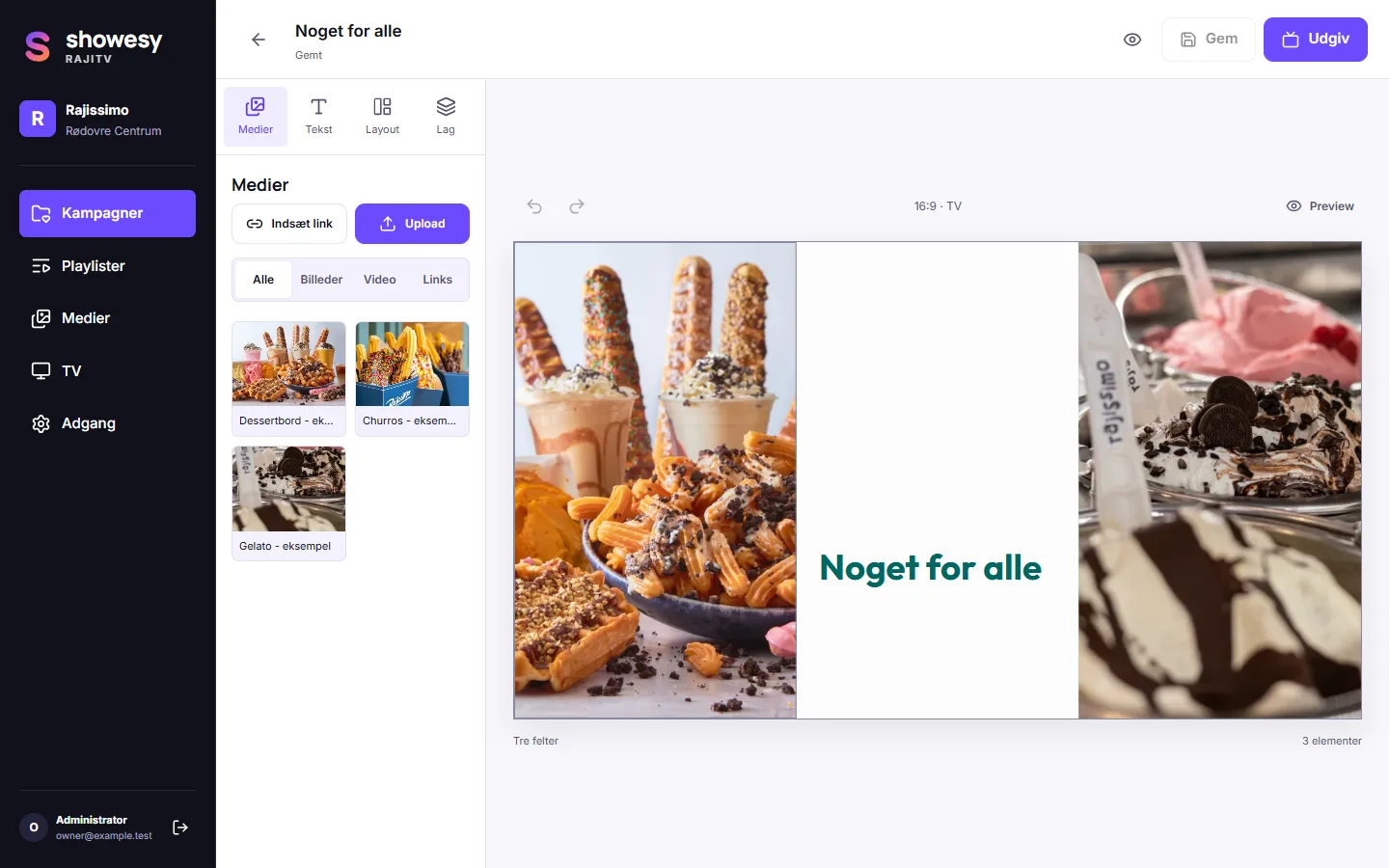
The name RajiTV, Rajissimo’s campaigns for gelato, churros, desserts and shakes, and their screens in Rødovre Centrum. That is what makes this workspace theirs.
The editor, playlists, media library, screen management, offline playback and publishing are standard Showesy. Every company gets the same tools, with its own workspace name and content.
Create a campaign in Showesy. Choose a layout, then add Rajissimo’s content.
In the TV’s browser, open tv.showesy.com to see its connection code.
An admin enters the TV’s two-word code in Showesy to connect it to Rajissimo’s workspace.
Publish a campaign or playlist from Showesy. The connected TV updates automatically.
The Showesy editor supports landscape 16:9, or portrait 9:16 with the zones stacked as rows. Rajissimo can add their content, then crop, resize and arrange layers, with undo and redo as they refine.
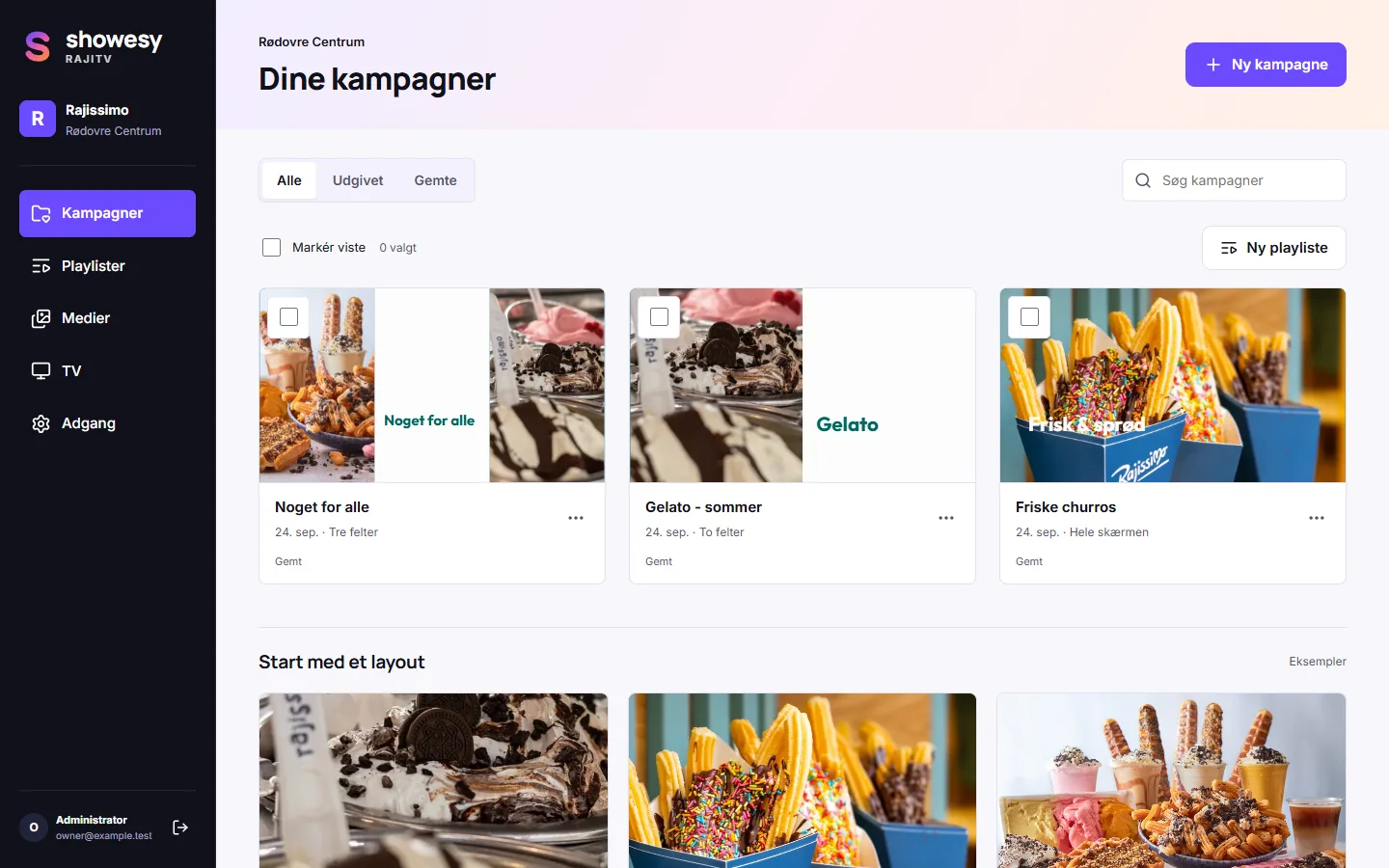
Their workspace can bring images, H.264 MP4 videos, TikTok and Instagram posts into campaigns. Text and layers keep the message theirs.
Showesy brings campaigns together in a playlist that loops. Each campaign can have its own duration, so Rajissimo can build the sequence they want.
Sign in to Showesy with a one-time email link or code, no password. Admin, Publisher and Editor roles give each person the access they need.
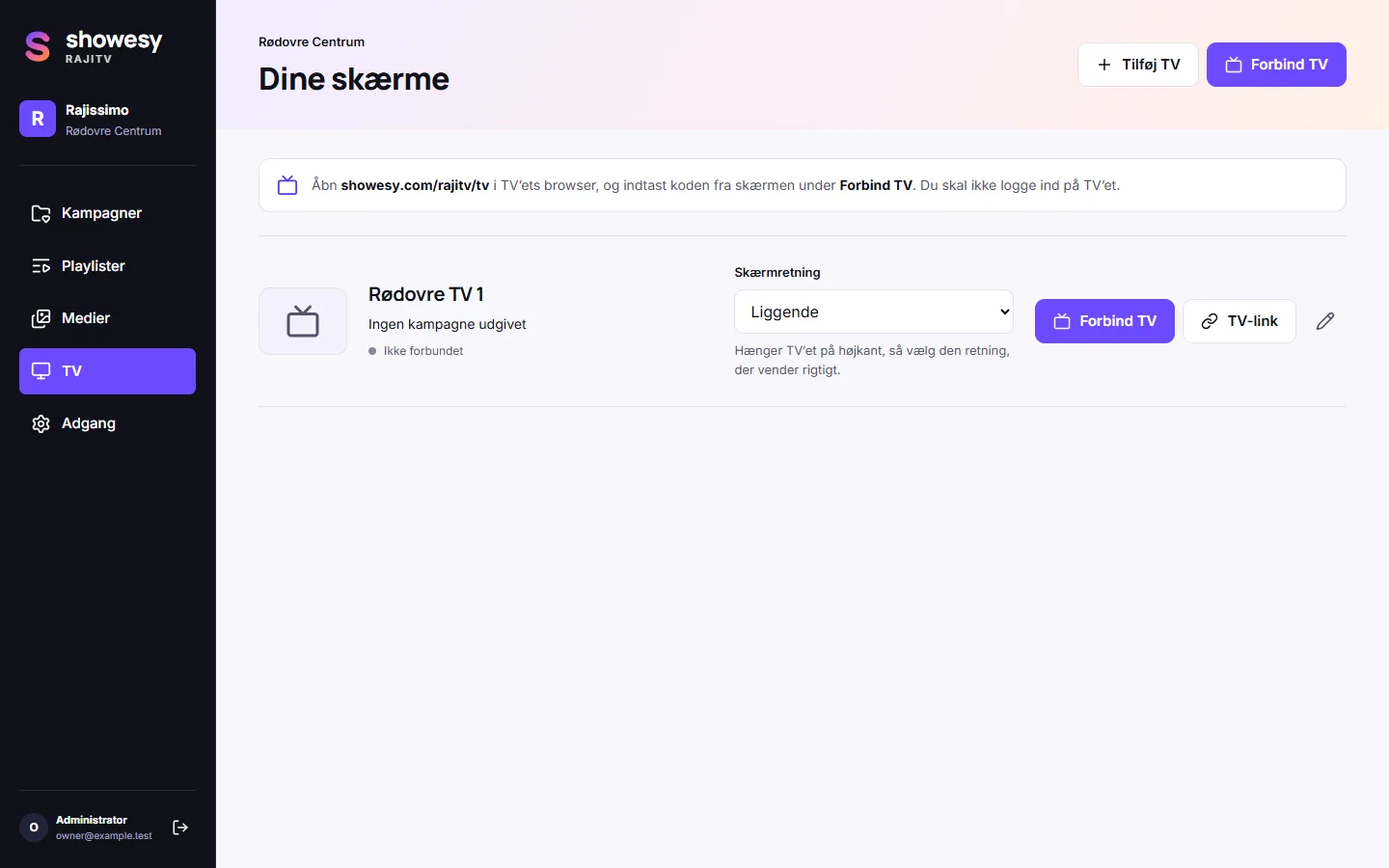
Showesy shows the screens in Rajissimo’s workspace and whether each is online or offline.
Showesy supports portrait 9:16 campaigns. An admin can turn a sideways TV’s picture 90 degrees in its screen settings.
Showesy’s offline-ready playback keeps downloaded content on screen without an internet connection.
Publish from Showesy to update connected screens instantly. The TV picks up the new content automatically.